
Getting Start
Install Language Pack with Installer
WARNING
Attention! Install Language Pack is confident to Install BepInEx and Install BB+ Dev API in Universal Tutorials! It means after you installed language pack, BepInEx and Dev API will be installed for you.
Step 1. Download Language Pack
INFO
The installer password can be found in the boardcast in our QQ group, the final releases will have no passwords. This article is based on QQ group files, other platforms are almost same!!!
Btw, these photos here are still in Chinese, and i may replace it someday with English.
WARNING
The Language Pack only compatible with Windows for now, if you are using Linux or other operating system and wants to install this with a easy way, you can submit a issue to let me know.
If you wants other mods packed in, just download version that labeled FULL.
Otherwise, just download MINI.
You can also take a look of the pic we made: 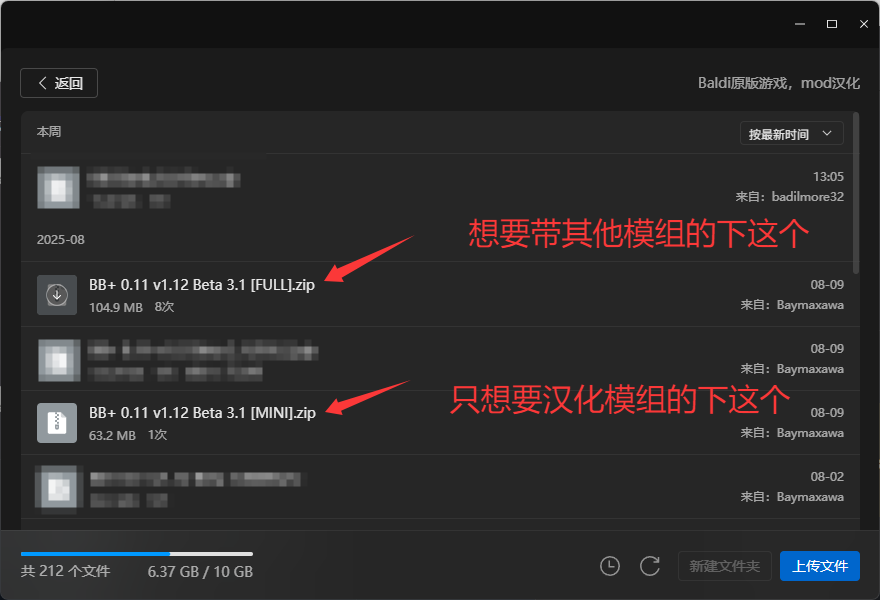
Step 2. Unzip the archive
DANGER
In case someone after download the zip file and just straight open it and open the exe file inside of it. I must made this section and says: Do not run installer inside the zip file!!! Please extract it out and then runs the installer. Or you may experience some issues that not intended!
First, find the zip file that you just downloaded (typically stored in Downloads folder, unless you changed the download directory.)
Then, select the zip file you just downloaded, and click on Extract All (It's fine to use other unzip softwares to unzip the file, but please unzip it before runs the installer)
You can also take a look of the pic: 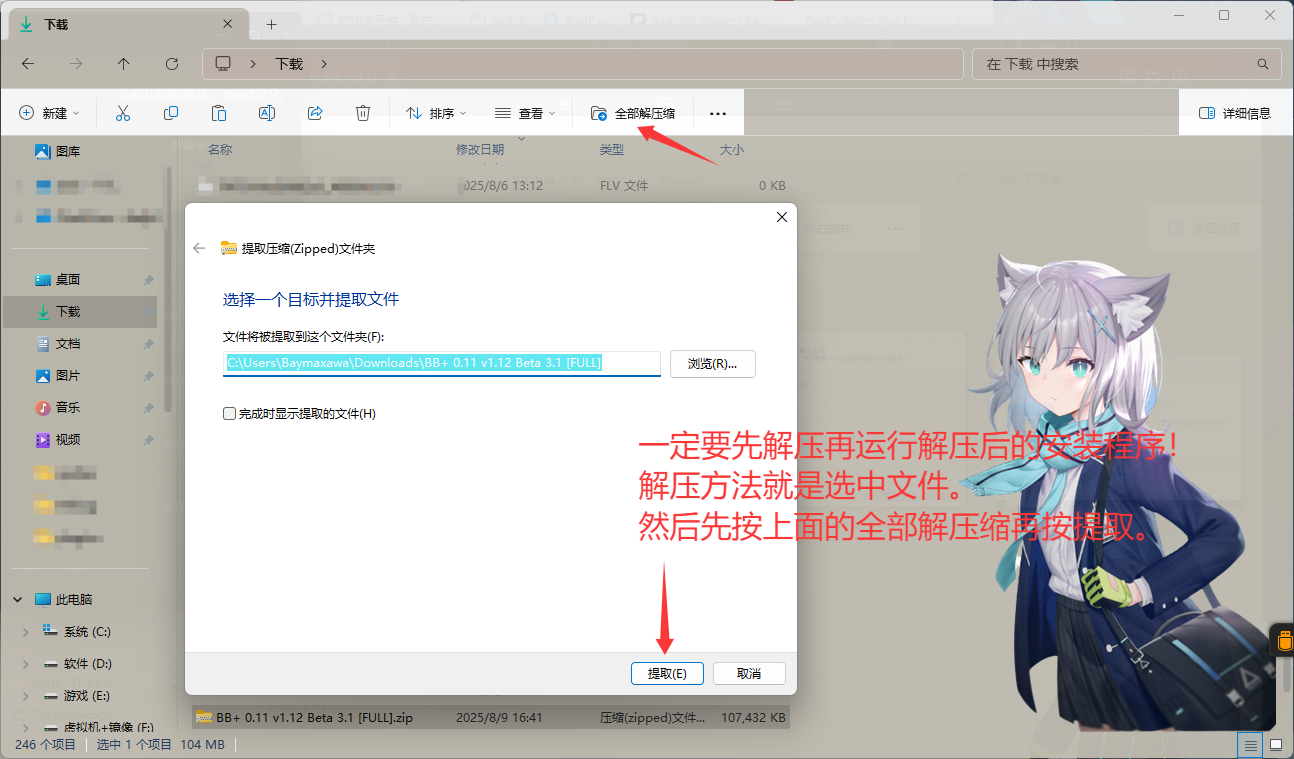 After the extraction, please open the folder that has same name as the zip file, then start main.exe inside the folder.
You can also take a look of the pic: 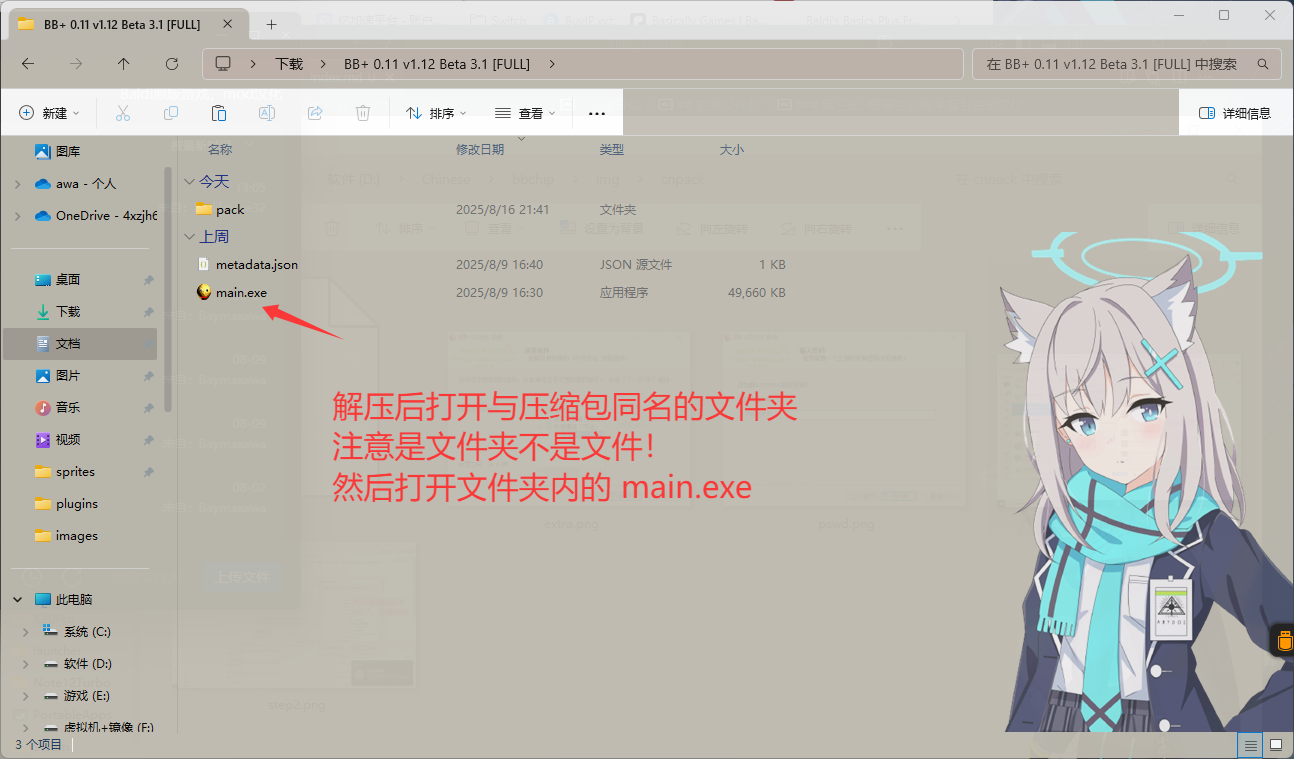
Step 3. Install Pack According to The Instrcutions
DANGER
The section to select installation folder, please select the root directory of the game, which is the folder that hold BALDI.exe, and the folders path should not contains any non English or number characters! The reason writes in FAQs.
INFO
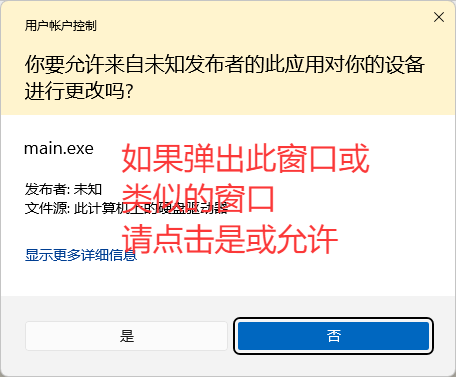
Because of the path of the installer will access may needs admin privileges (some path needs), so the installer has been set to ask for admin privileges when it runs.
If you see this popup, which is called UAC and is a feature of Windows, please click Yes (May called Allow on some version of Windows). You can also take a look of the pic (from Windows 11):
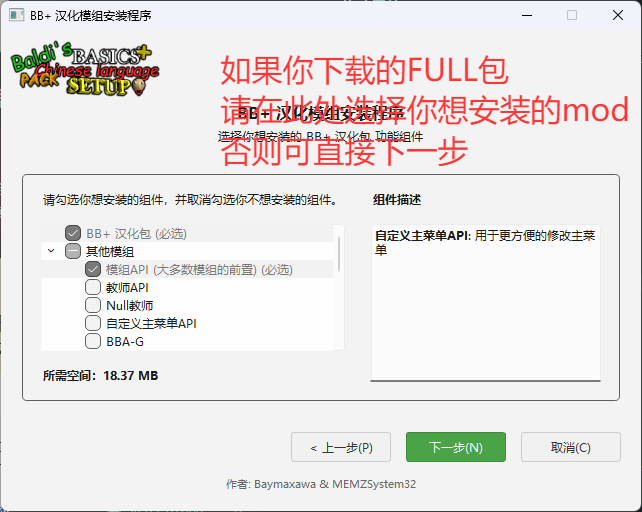
After following the installer's instrcutions, you may see this section.
If you don't understand what the sections are, don't worry. You can use mouse to hover on the options and on the right side will shows the description of the item. (Only in Chinese for now)
If you downloaded the MINI version of the pack, you can just click next. (Because MINI version of the pack doesn't contains any other mods rather than essentials)
Otherwise you can choose the mod you want to install!
You can also take a look of the pic:
DANGER
Notice: PineDebug is not compatitable with may mods due to it patches many original game codes, please install with caution!
After that you will see Select Path section, and here if you are playing using Steam, then you can click on Auto Detect, otherwise you will need to manually select the game folder.
You can also take a look of the pic: 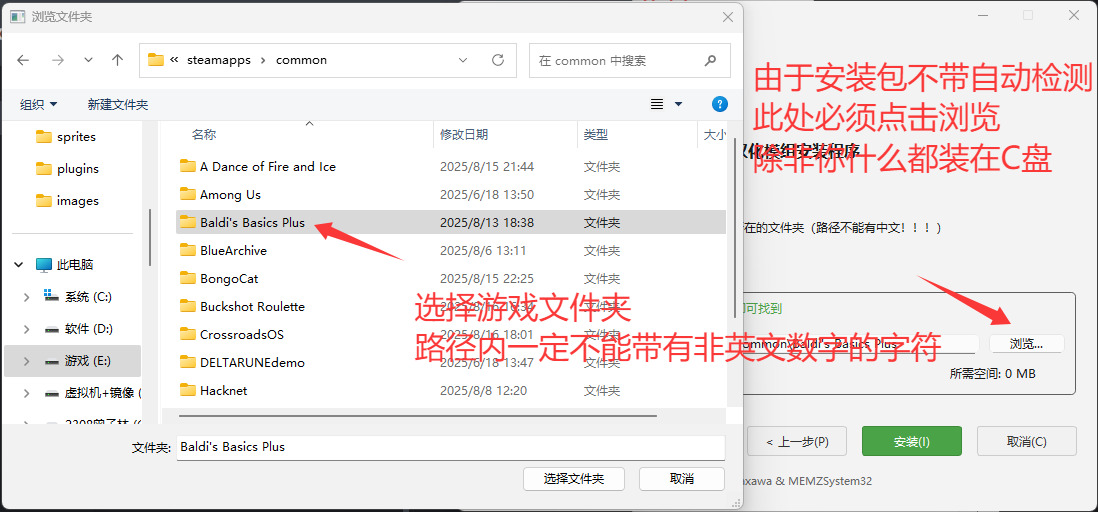
Then, the installer should start the installation.
After the installation, you can start the game to check if it installs properly!
If you failed to install, please check the installation steps and see if you did something wrong! If it's not you, you can check out the FAQs page or start a issue to tell me.